
Our Amend and Restate feature means that you can resend a negotiation with amended positions to your counterparty. The negotiation is duplicated and can be sent to the counterparty again as a bilateral negotiation.
The original completed negotiation will remain untouched.
How do I amend and restate a completed negotiation?
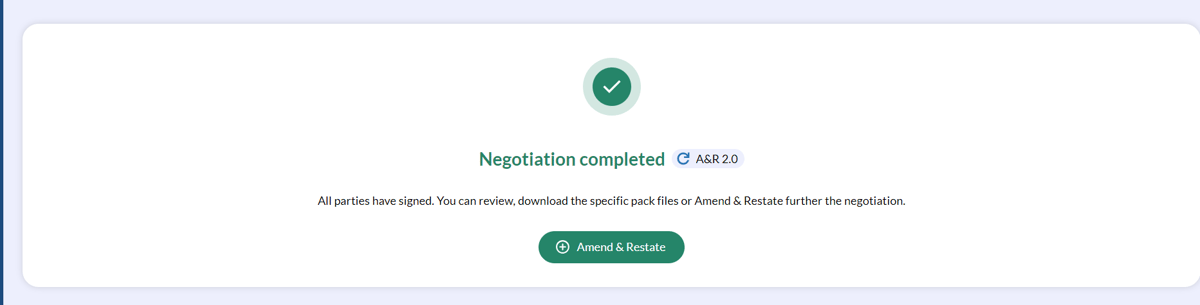
- Select the completed negotiation you wish to amend and restate from your Completed page.
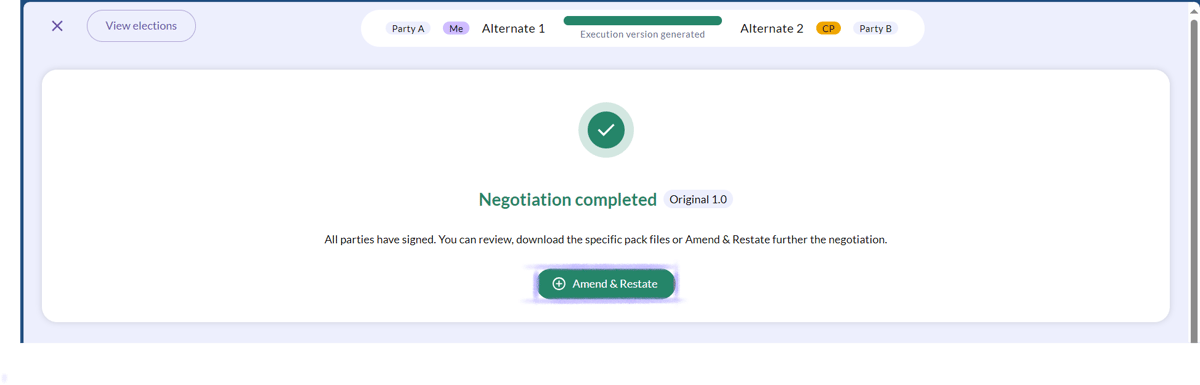
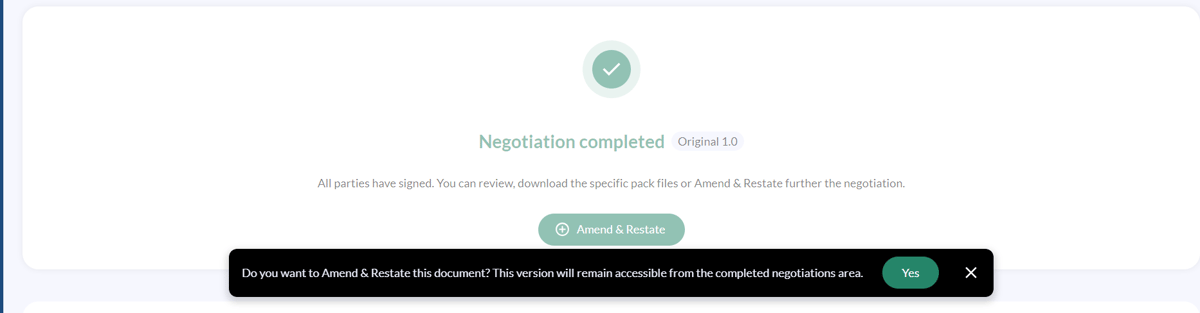
- From the Review and Sign page click Amend and Restate. This will open a new draft invitation. The draft invitation will contain the agreed positions from the completed negotiation already pre-populated.
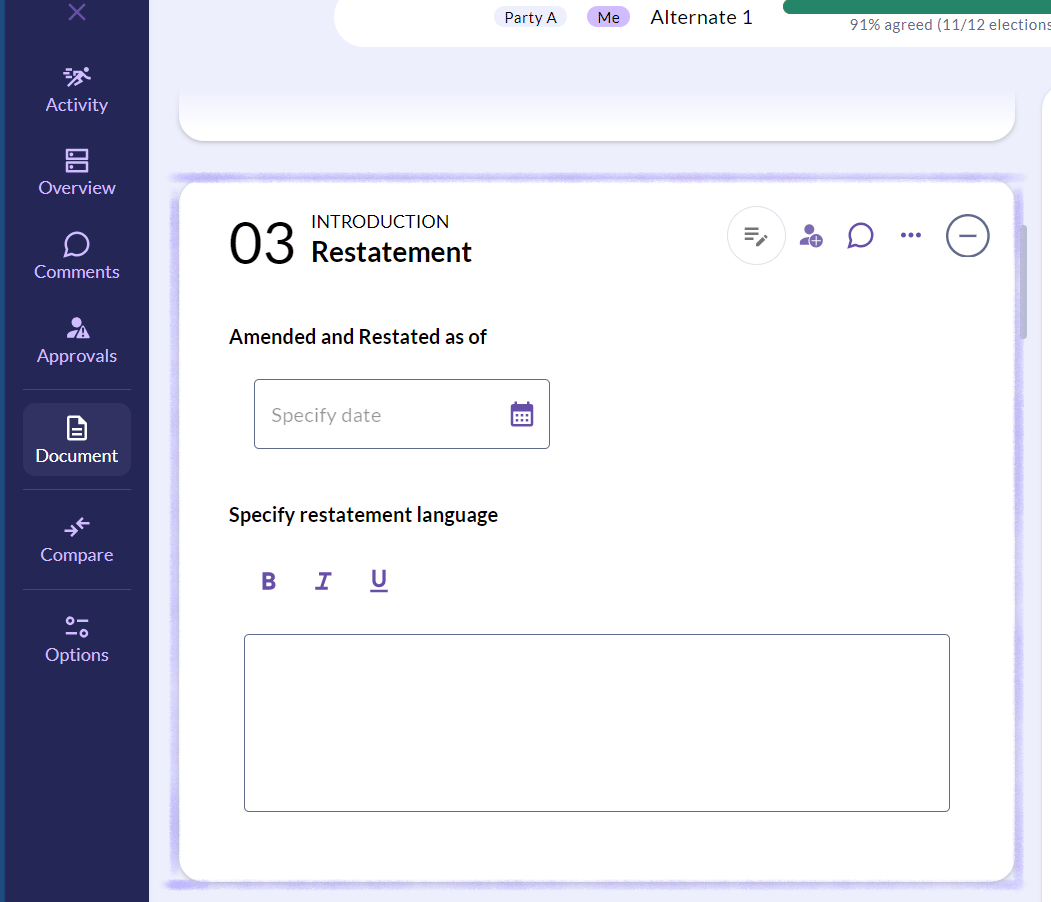
- You will notice there is a new election for the date of the restatement that must be populated.
- You can now make the amendments to the document by updating the relevant elections.
- Once you are happy with the amendments and you are ready to send the document to your counterparty click on the Confirm button.
💡 The legal entity name for your counterparty will be prepopulated into the document automatically from the original negotiation. 💡
Once you and your counterparty have agreed the amended positions you can Confirm agreed form and then agree the date. The negotiation will then progress to Execution stage where you and your counterparty can sign and upload the execution version and complete the negotiation.
Can I compare my amended negotiation to the positions in the original document?
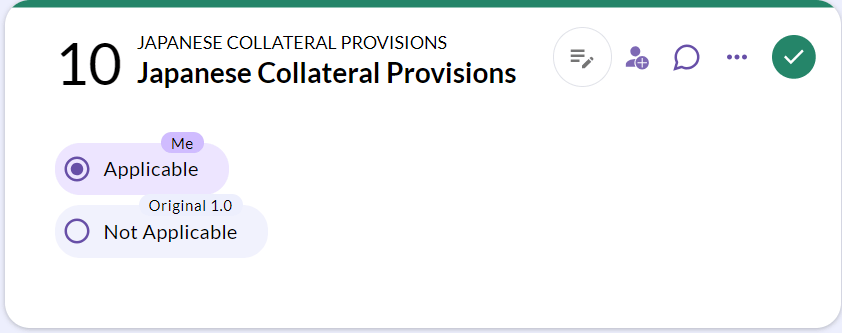
Just like being able to compare your current position to the starting position in your preset, you can compare an amended negotiation to the original document.
At any stage of the amended negotiation click on the Compare button and click on Original document.
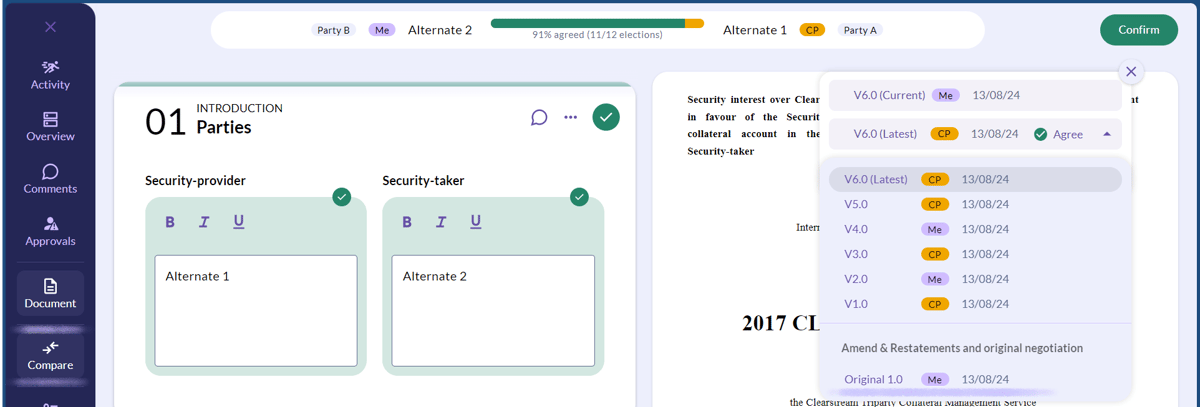
This will compare the position currently selected in the document to the original position within each election.
Can I see all versions of an amended document?
Yes!
Once you've completed the negotiation that has been amended, this will be listed in the Review and Sign page.
If you've amended a document multiple times, all versions will be listed in the Completed negotiations tab.
Restated negotiations will be indicated with an arrow icon so that they can easily be identified.
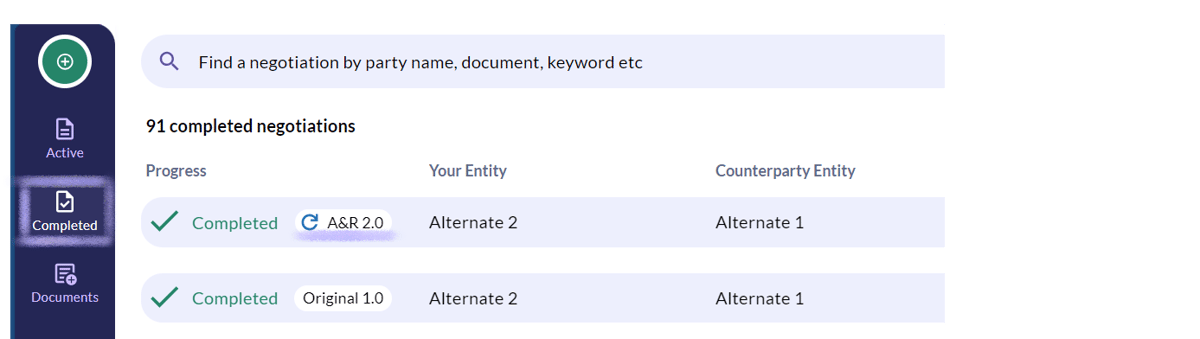
💡 If you wish to amend the negotiation again, the most recent version of the document will need to be selected. 💡
If you have any further questions, contact us at support@createiq.tech and we will be happy to help! 🚀