
What is the activity channel?
CreateiQ makes your life easier by notifying you of all internal and external high-level actions taking place on the document during the course of your negotiation. These actions include, but are not limited to approvals, comments and counterparty invitations to negotiation. The activity channel is where you go to view these actions.
The activity channel shows both internal and external actions.
Internal actions are actions that are visible to users within your organisation and actions that have been made your Advisor users.
External actions are actions that are visible to your counterparty during the negotiation process.
Using the activity channel
Click on the Activity button in the toolbar located along the left-hand side of the negotiation page to access the activity channel.
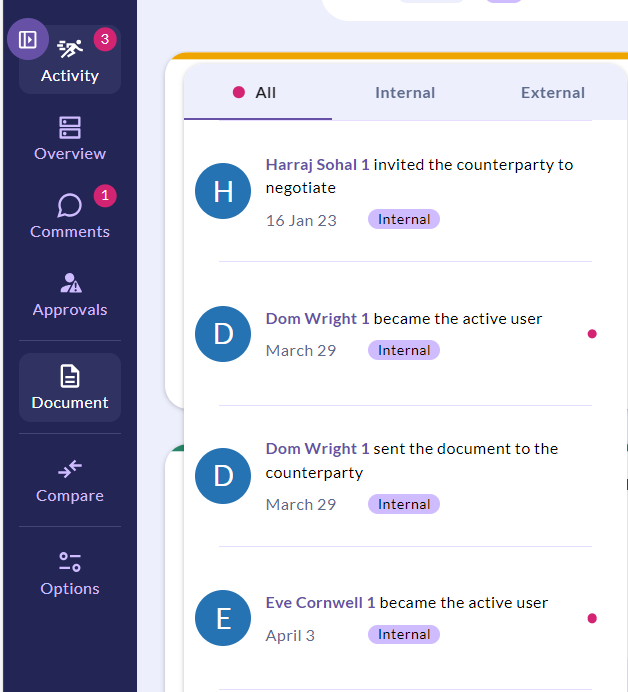
The red dot indicates that there is a new notification.
You can also move the overview panel to the right-hand side of your page by clicking the side-switcher icon.