
The Compare button in the toolbar on the left-hand side of the negotiation page allows you to overlay previous positions across all elections and track changes in your negotiation.
Select the Compare button and then the compare function will appear as a box on the right of your screen where you can select the most recent version of the document for comparison.
By clicking +Add in the corner of the compare function box you'll be shown a list of the historical versions of your negotiation so that you're able to compare your positions against those too.
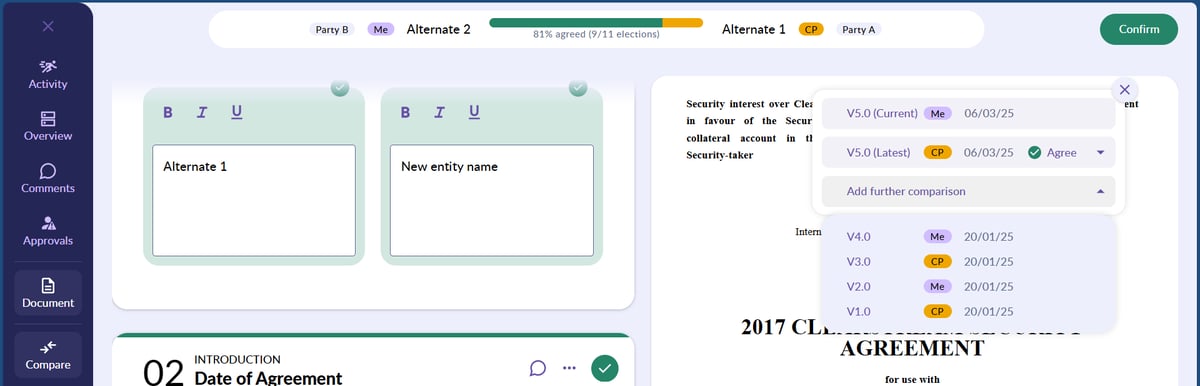
Once you've selected the version you want to compare against, positions that are different to your current version will be displayed as shown in the image below.
💡 If you have used a template for your negotiation, you're also able to compare to your starting position 💡
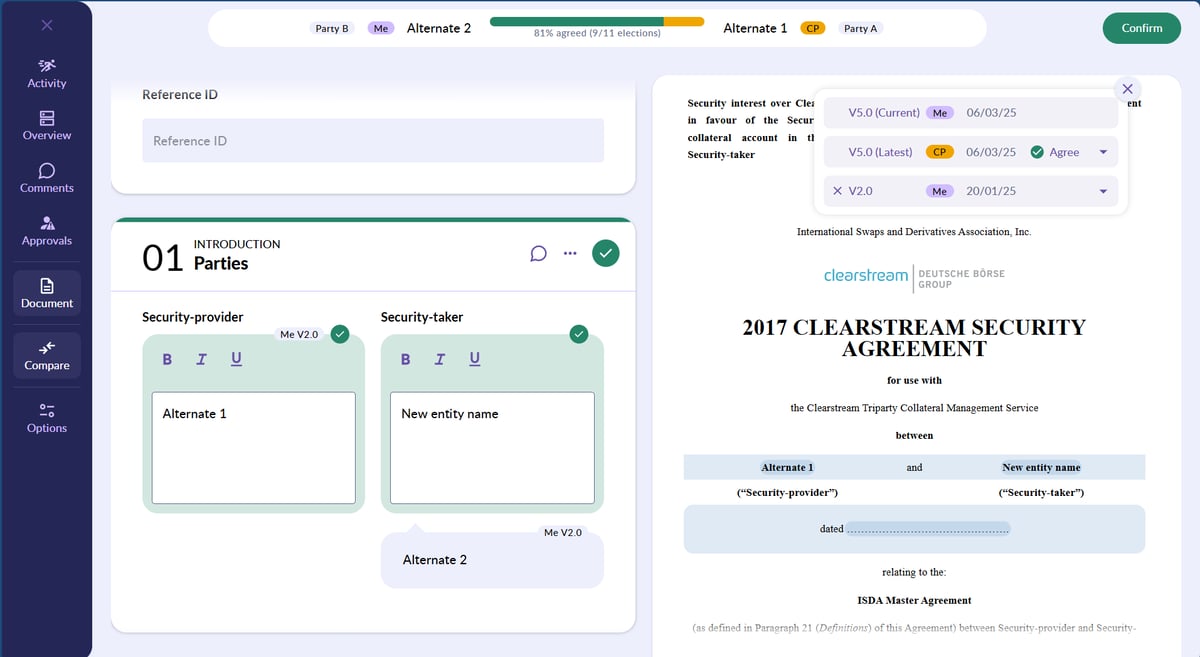
Your positions will always be labelled with 'Me' before the version number, while your counterparty positions will have 'CP' before the version number.
Blacklining
You're able to compare and track changes in your negotiation using blacklining. This highlights the changes in the text of your negotiations and allows you to see when text has been removed, edited or added.
You're also able to use blacklining to compare your positions against that of your counterparty on an election basis. The function will also automatically blackline every counterparty suggested change.
When you have received a negotiation with positions entered, a pop up will appear on the right hand side of your page, switch the toggle on to enable blacklining.

Your positions will be highlighted in purple and your counterparty elections will highlighted in orange.
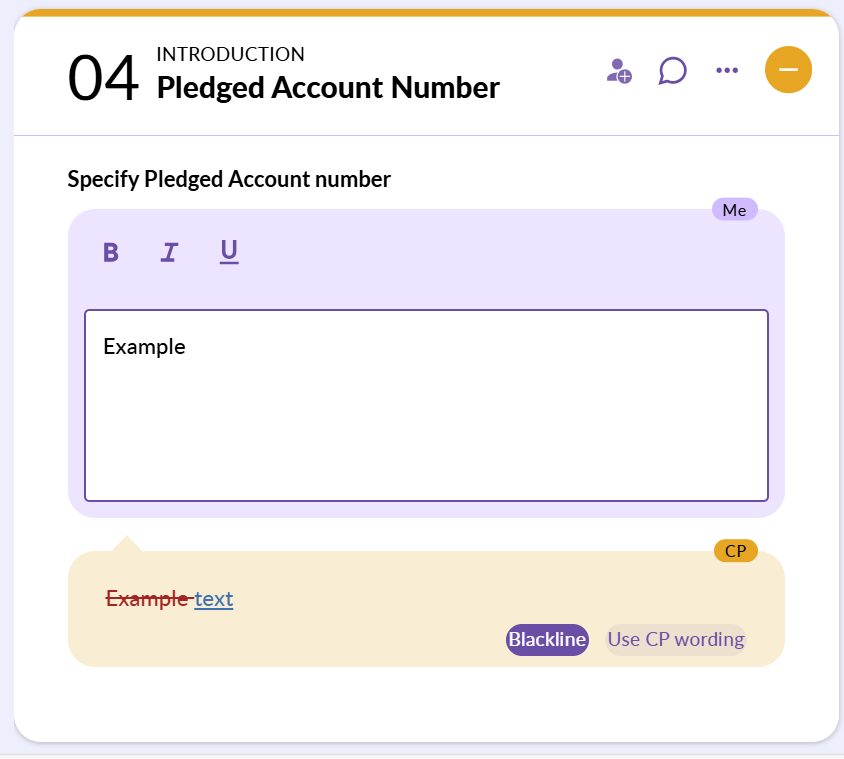
See all the changes that exist in the current CP position but not in your current position as text, and all changes that exist in your current position and not in the current CP position as text. This can also be seen in the document view.

💡 If you are the initiator of the negotiation, you'll need to wait for your counterparty to return the document to your queue before you are able to enable blacklining 💡