
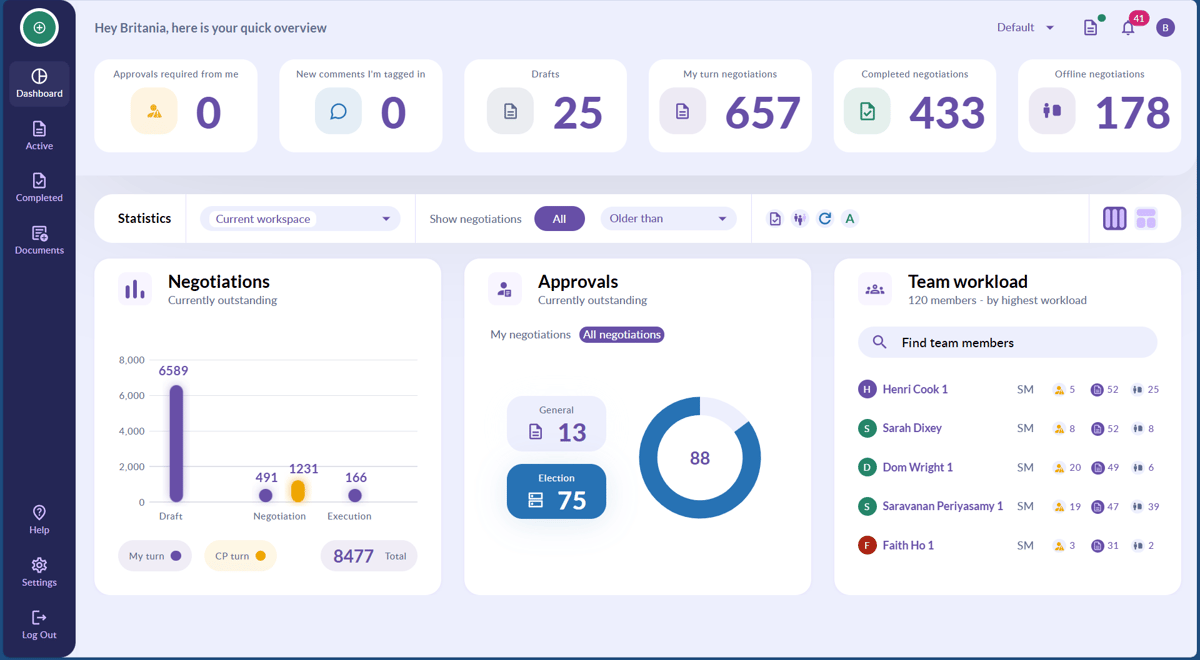
💡 Your dashboard is dynamic and will automatically update to show account activity 💡
As well as giving a general overview of all account activity, your dashboard is especially useful for taking a deeper dive into in-progress negotiation. For example:
Are you an approver?
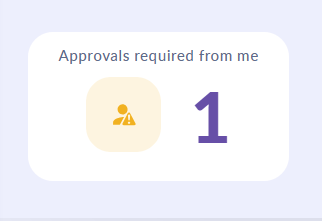
As an approver you may want to look at negotiations that are specifically pending approval from you. This is useful in ensuring that negotiations aren't being delayed.
The Approvals required from me tab will also show your pending approvals.
Checking what negotiations are blocked by approvals?
To check this, select the approvals tab from the center of your dashboard. From here, select My negotiations and you'll be presented with a breakdown of both document and election level approval requests that are still outstanding in your active negotiations. Click on the relevant in-chart tile to be taken to the appropriate negotiation.
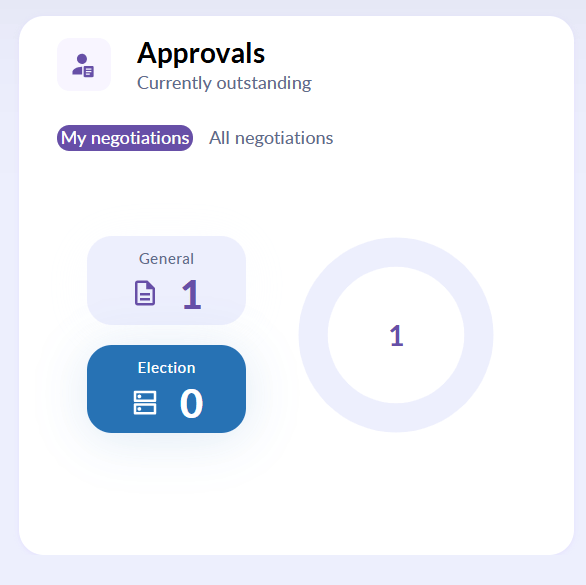
💡 The approvals tab can also show which negotiations are pending approvals from other people, just switch over to the All negotiations tab. 💡
Want to check on aged negotiations?
You may want to see which negotiations are taking longer than expected to finalise and may therefore be missing SLAs. Our global negotiation age tab will allow you to do so.

From the drop down menu under Older than you can filter your negotiations by 7, 14 and 30 days. There is also a custom option for negotiations outside of these timelines.
When a date is selected, the negotiations table will update to show the negotiations that fit your filter requirements.
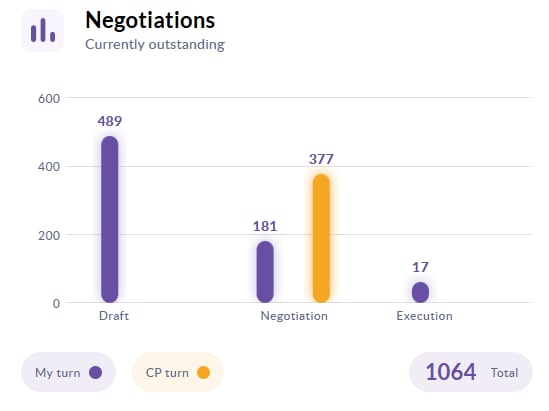
Click on each bar in the chart to be taken to the relevant list of negotiations.
💡 This chart will be updated to show filter requirements inputted 💡
Want to see how the workload is being divided amongst the team?
Our Team workload tab will allow you to do so.
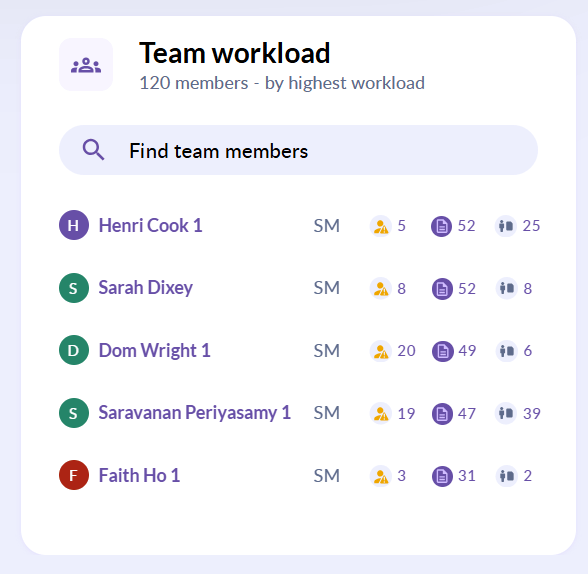
Click into each user's name to be shown a breakdown of their workload.
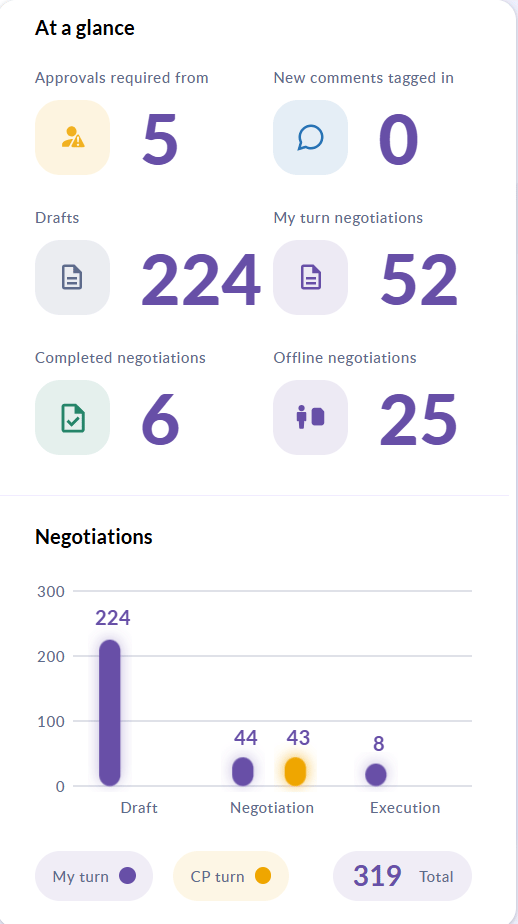
For further detail, click into each tab shown.
Watch our short video to see the benefits the Dashboard can offer.