
We know that many of our clients have a regulatory obligation to keep records of all business-related communications. At CreateiQ, we help with this by putting every comment/note made into your negotiations audit trail.
This ensures that all comments/notes are preserved on CreateiQ and can be downloaded for your internal records at the completion of your negotiation. The audit trail allows you to see why decisions were made and review the discussions that were held without the hassle of searching through old emails.
Please note that audit trails can only be downloaded from completed negotiations.
Where to find your audit trail:
Audit trails are accessible directly from your negotiation screen and also from settings.
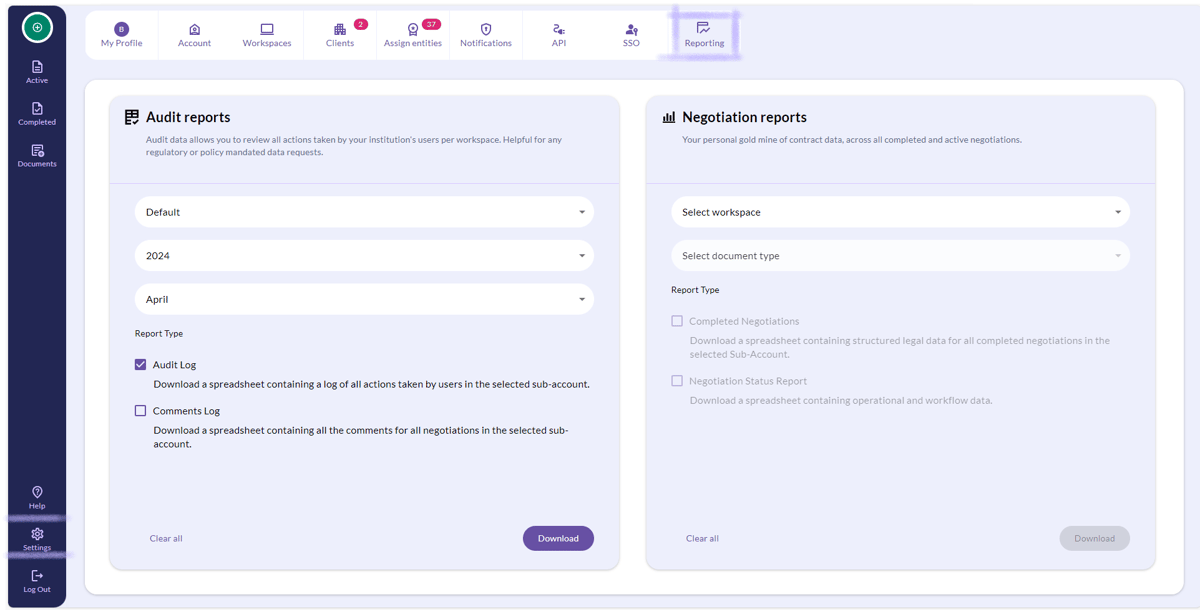
From settings: Once on settings, navigate to 'reporting' from the top menu. Here you'll be able to find audit trails for all negotiations that have taken place on your account. You are also able to narrow your search by filtering out the Months and Years.
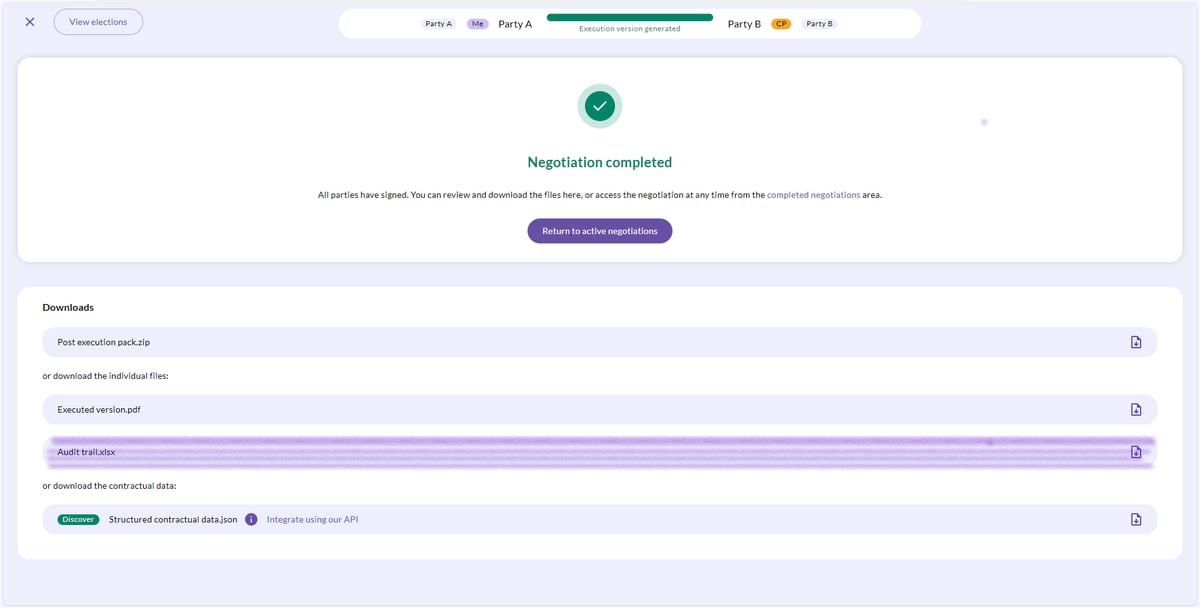
From your negotiation screen: Accessing your audit trail from your negotiation means that you will only be able to access data specific to the negotiation you have open. To do so, navigate to your completed negotiations page where you will see the audit trail available for download.
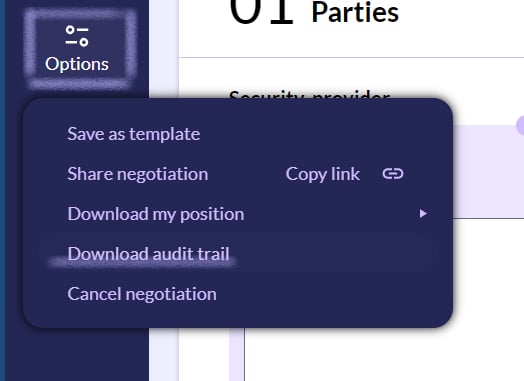
You can also access your audit trail for active negotiations: To do this, navigate to the 'Options' tab with your negotiation open and select 'Download audit trail'.
Everyone wins! 🏆