
You can make changes to the document as long as the negotiation hasn't been finalised. In other words, neither party has clicked Generate execution copy, or it hasn't been sent to your custodian.
Either party can revert to negotiation, which enables changes to be made:
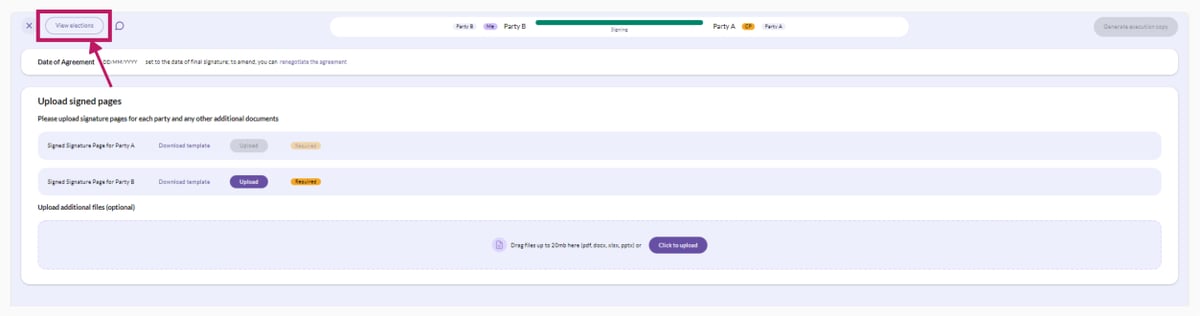
- On the execution page, click on the 'View elections' button at the top left of the screen.
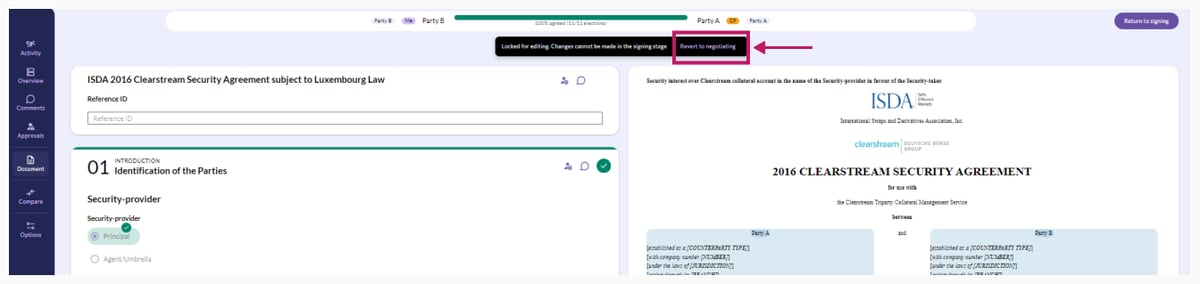
- Then, click on the 'Revert to negotiating' button at the top of the screen. This will return you to the election view where you can make any changes required.
- Once you have made amendments to the document, click the 'Confirm' button again to progress the amended document to Execution.
Reverting to negotiation from the execution page
There is also another way in which you can revert to the negotiation, and this is also done on the execution page. In the Date of Agreement section, click on the "renegotiate the agreement" button and then on the "Confirm" button.
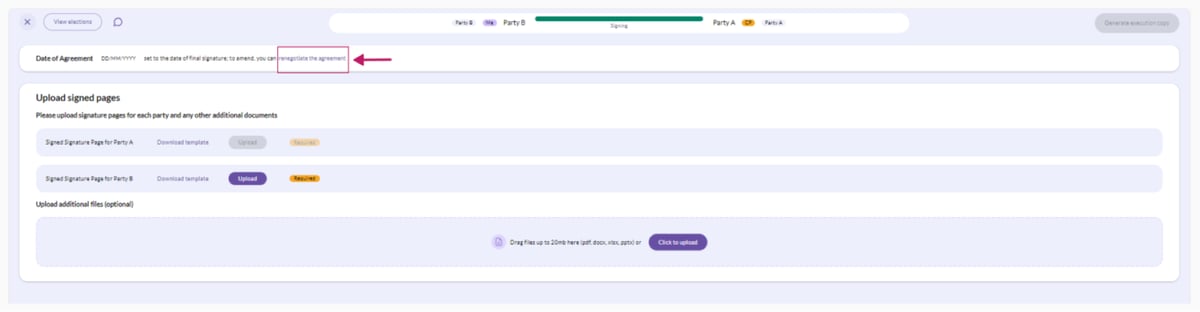
This will return you to the election view where you can make any changes required, before clicking the 'Confirm' button again to progress the amended document to Execution.