
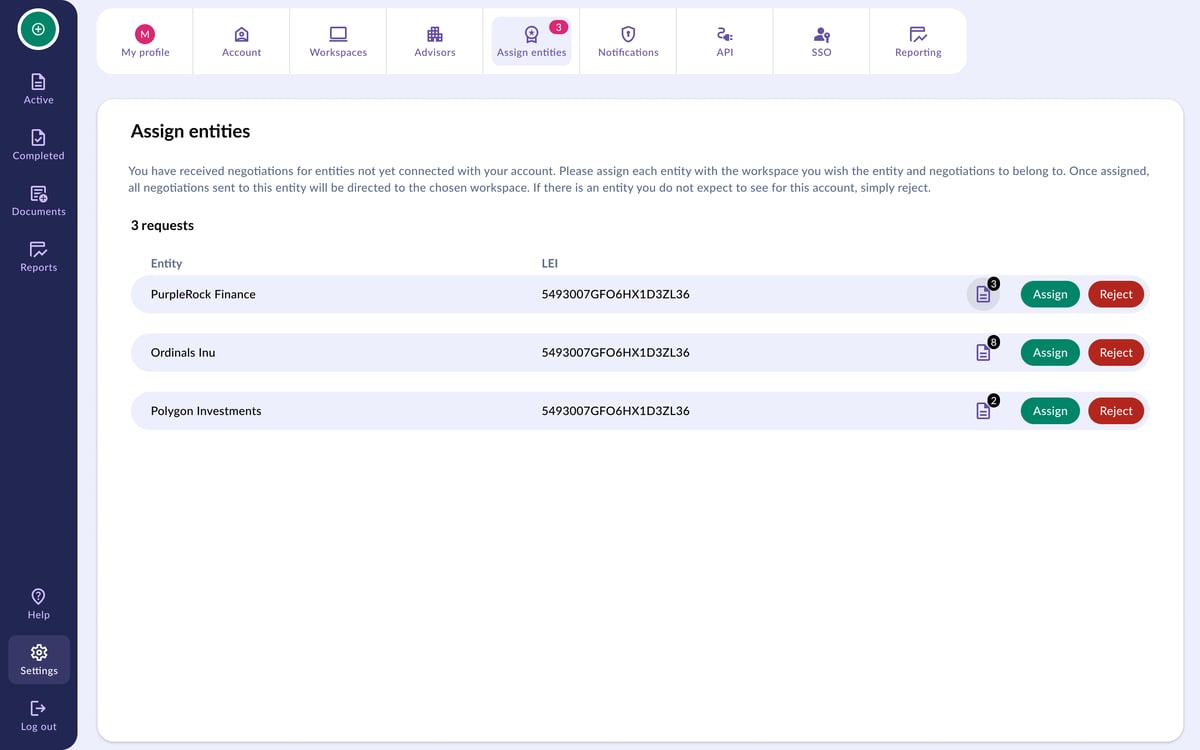
Are you missing an invitation to negotiate that you were expecting from your counterparty? It has most likely ended up in the Assign Entities page.
An invite will be directed here for a few reasons. For instance, if your counterparty has chosen the incorrect entity name or if you have not saved the entity to your account.
How do I find my invite?
- To view negotiations sent by an unassigned entity, go to the Settings page and open the Assign Entities sub-page.
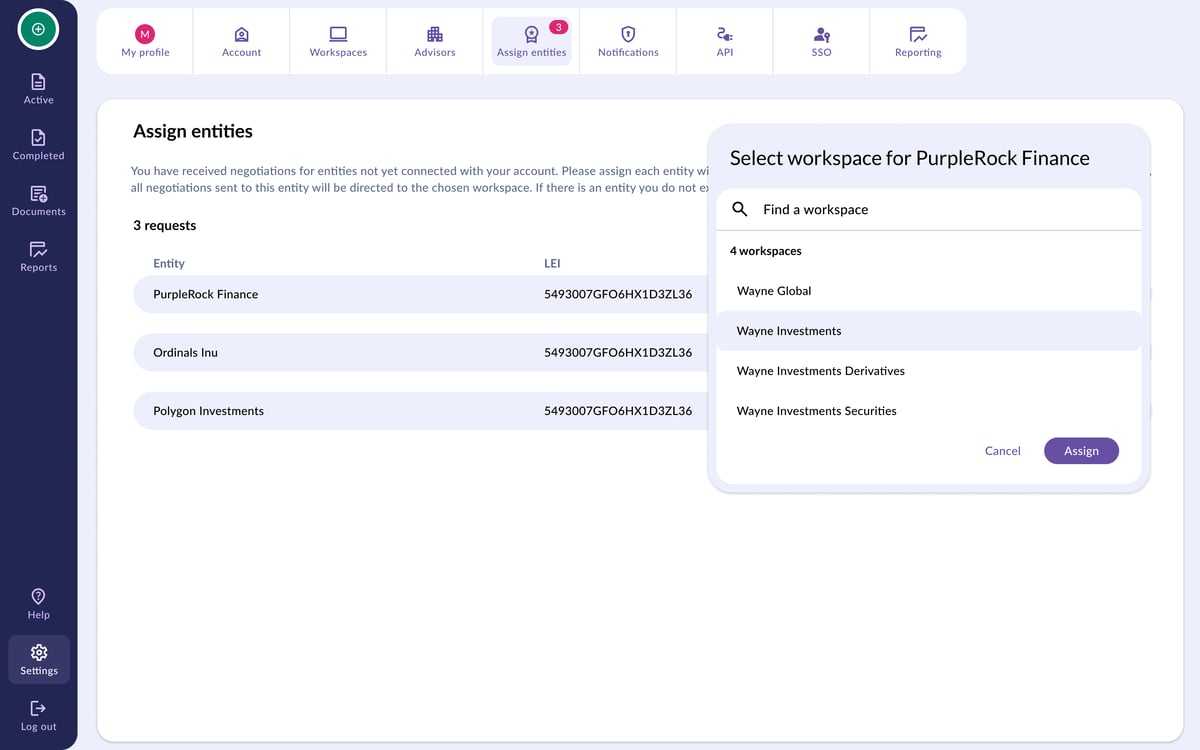
- Assign the invitation to the relevant Workspace by selecting Assign and selecting a Workspace.
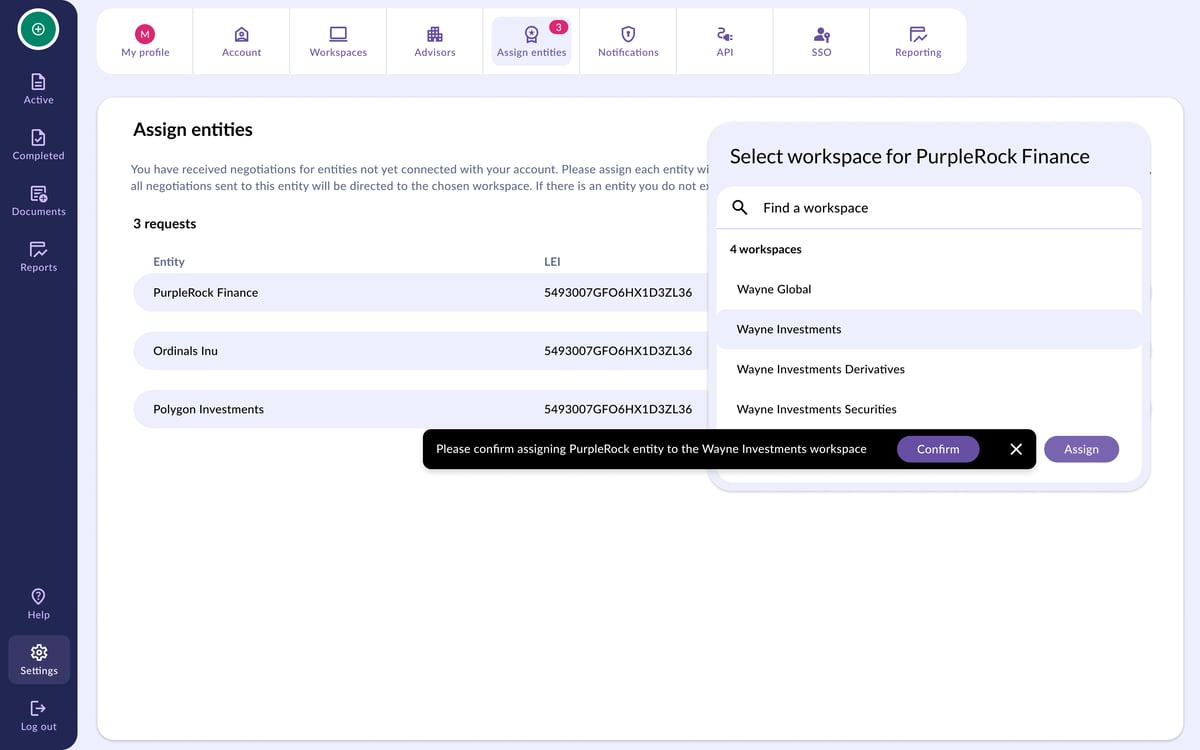
Once selected, all the documents sent by the newly assigned entity will be visible in your selected workspace along with your other negotiations.
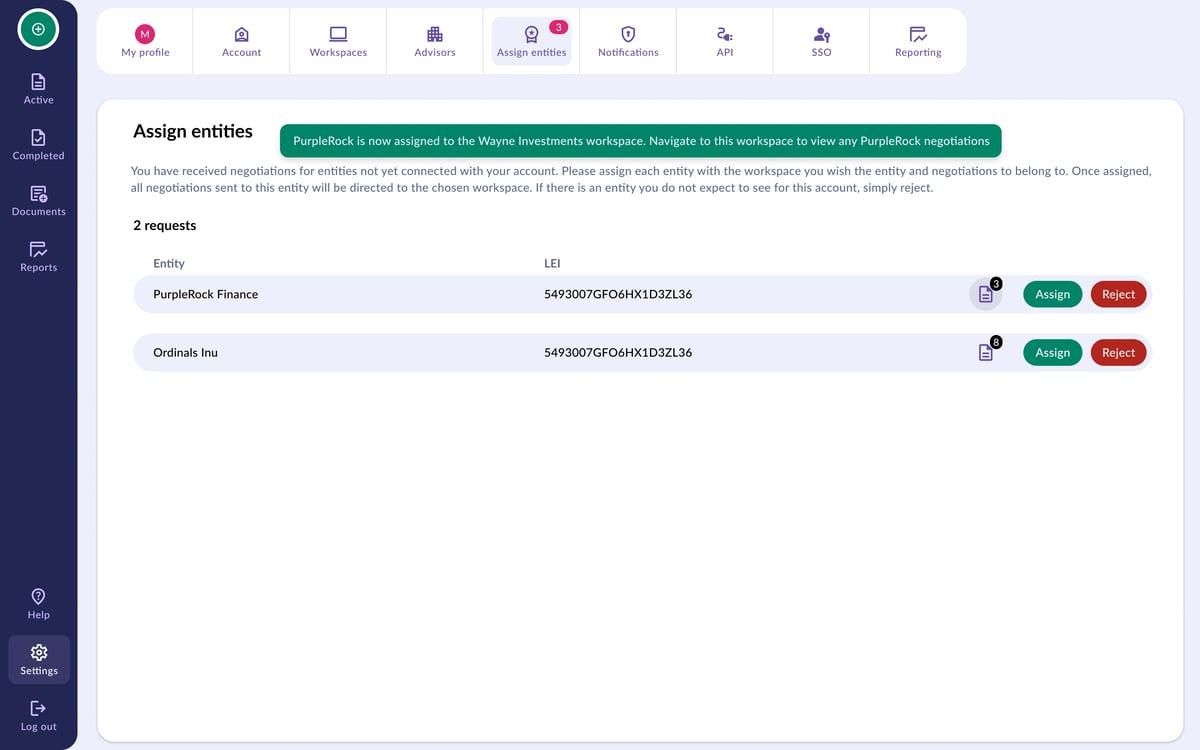
💡 In assigning your entity to a workspace, the entity that your counterparty has used will also be saved to your chosen workspace so any new negotiations started by that counterparty will be directed to that workspace.