
Accessing Negotiation Metadata
Where to find it?
To access your negotiation data, simply navigate to the Settings page and then click on the Reporting sub-page. Here, you'll have the flexibility to select both the desired time period and the specific document you wish to analyse.
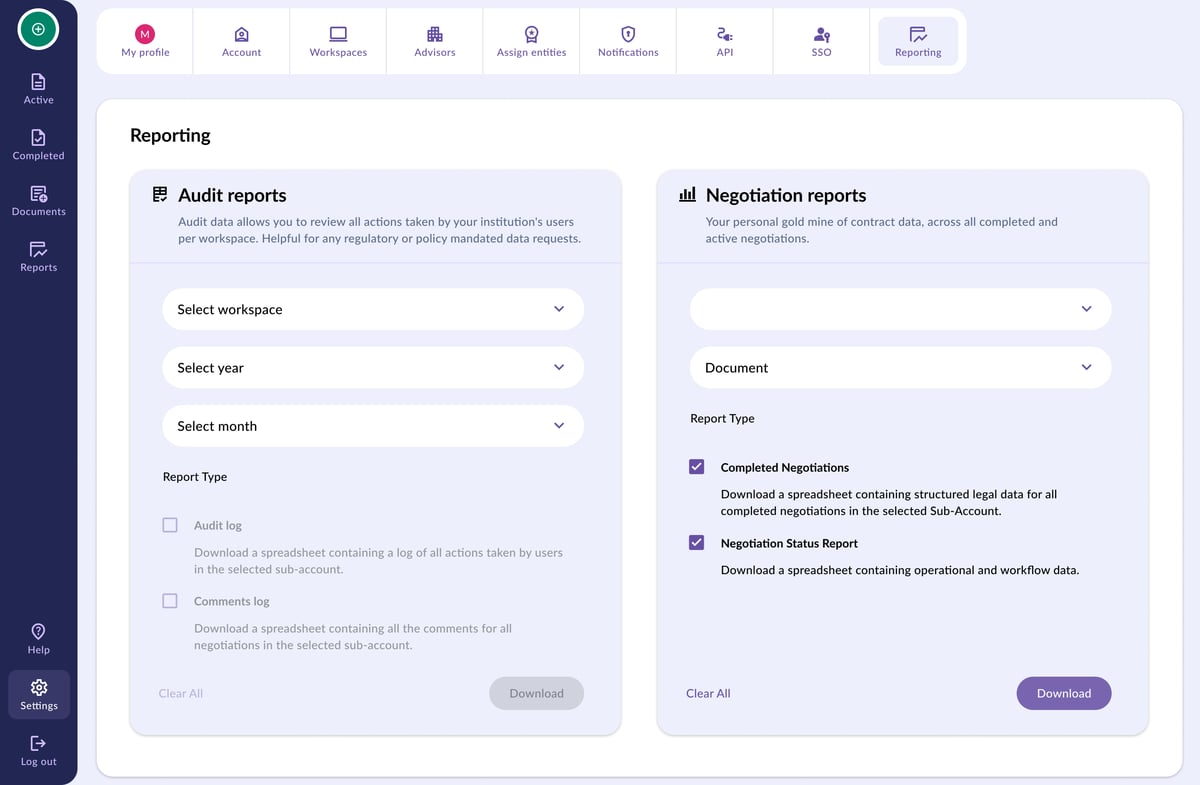
Downloading the Data!
- Negotiation metadata is generated in JSON format, which is a data-rich file format compatible with most database systems. This file contains all data points, stored in a structured format, relating to the completed negotiation you have selected and includes all document provisions.
- We're excited to also provide a Metadata download in CDM format.
- Please consult with your organisation's data handling function on how to best utilise the JSON file.
To download the negotiation metadata for a document, navigate to a completed document, and click the download button next to 'Negotiation Metadata (JSON)'.
Audit Reports
Where can you find it?
You can access audit reports in two ways: either from the Negotiation Completed page or from the Settings section.
When your negotiation is completed, you'll find detailed data available on the Negotiation Completed page. Simply click on your negotiation in the library page to access it again. Please note that on this page, you'll only find the audit report specific to the negotiation you clicked on.
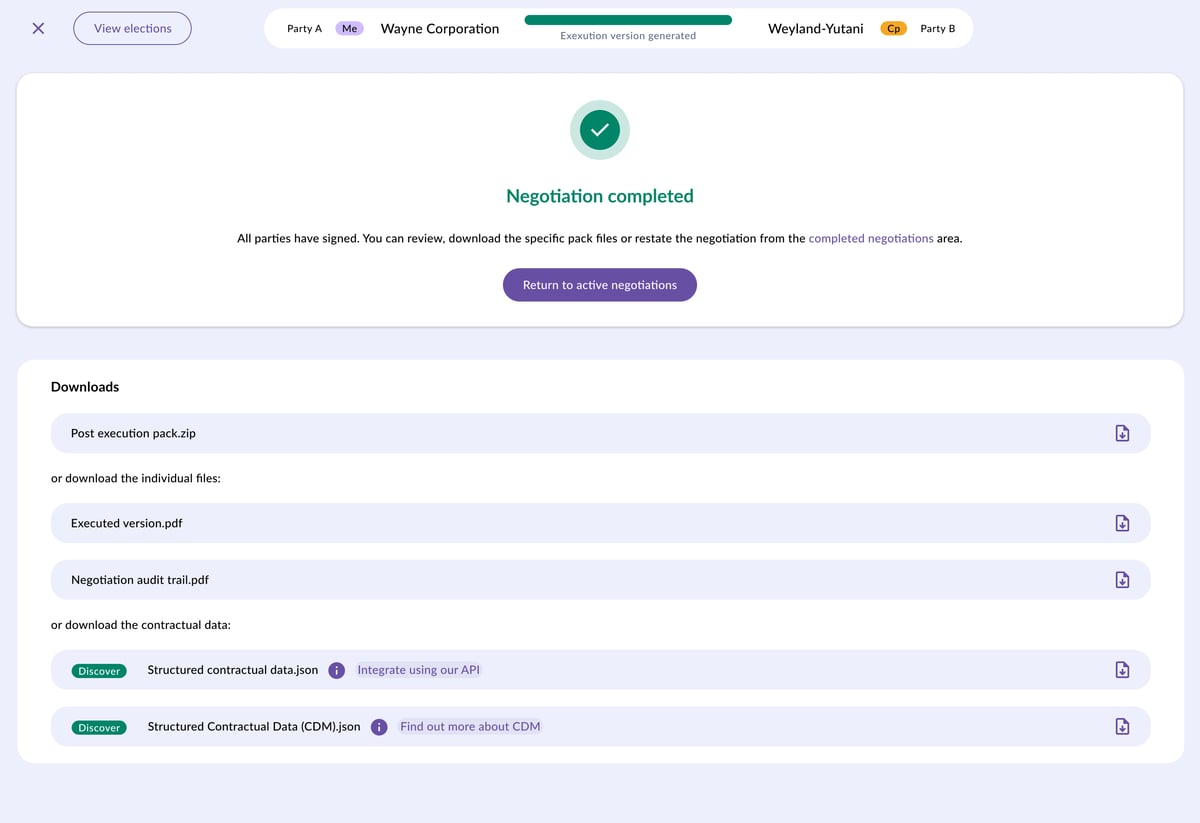
Alternatively, you can retrieve audit reports from the Settings page. By doing so, you gain the flexibility to choose the time period for the data you wish to review. To navigate to this page, click on the Settings icon located at the bottom left of your screen, then select the Reporting tab at the top.
Downloading it?
- The audit trail is a PDF file recording all interactions relating to a completed negotiation, including logging all users who interacted with the negotiation, the use of templates, election choices, negotiation history and approvals. It even includes any comments that have been added to the negotiation.
To download the audit trial for a negotiations, navigate to a completed document and click the download button next to Audit Trail.
💡 When downloading an Excel version, a cell's content may be too long to display in this format. Learn how to use our API to access its full content. 💡