
Recalling an invitation 'pulls back' an initial invite, returning it to your drafts. You'll only be able to recall if the counter-party has not unlocked the sent document.
Recalling is a good fix in cases of: accidentally sending to the wrong counter-party or needing to change an election before review.
Super Managers, Managers and Editors are able to recall invitations. You can find out more information on user roles here too.
To recall a document:
- Select the negotiation you wish to retract.
- Click on the 'Recall document' button on the top of the screen.

Cancelling a negotiation is equivalent to deleting it. This means the entire negotiation is removed from the view of all parties. This action is irreversible.
To cancel an invitation:
- Locate and select the negotiation you wish to cancel.
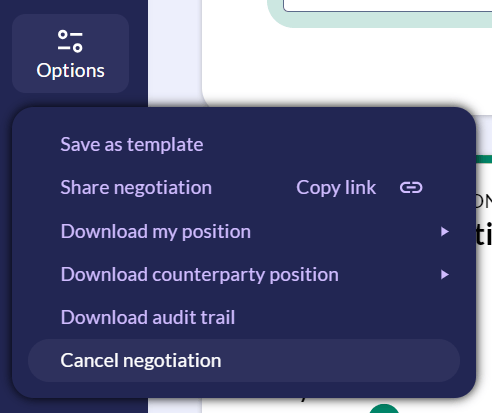
- At the bottom of the toolbar on the left-hand side, click Options
- The drop down menu will display an option for cancel negotiation.
💡 Cancelled negotiations will appear in the 'Completed' library, in order of most recent. 💡
