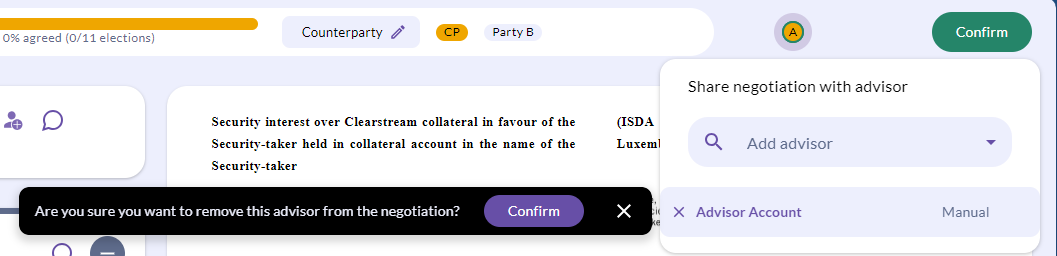
Granting access to your negotiations.
The process of manually permissioning negotiations requires actions from both the client and the advisor.
- The client will need to invite the advisor, ensuring to select 'manual' to negotiate on their behalf using the guidance detailed here.
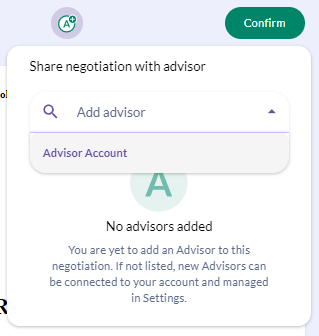
- Once the invitation has been accepted by your advisor, you can then grant access to specific negotiations by opening your chosen negotiation from the 'Active' tab and selecting the green A symbol from the top right of the page.
- Select the 'add advisors' drop down where you can select an advisor relationship you wish to grant access to.
Has the time come to remove an advisor from a negotiation?
By opening your chosen negotiation from the 'Active' tab and selecting the green A symbol from the top right of the page.
Simply select the 'x' next to the advisor name and confirm the removal.