
Accessing your template library
To access the template library, select the Templates option from the sidebar on your screen.
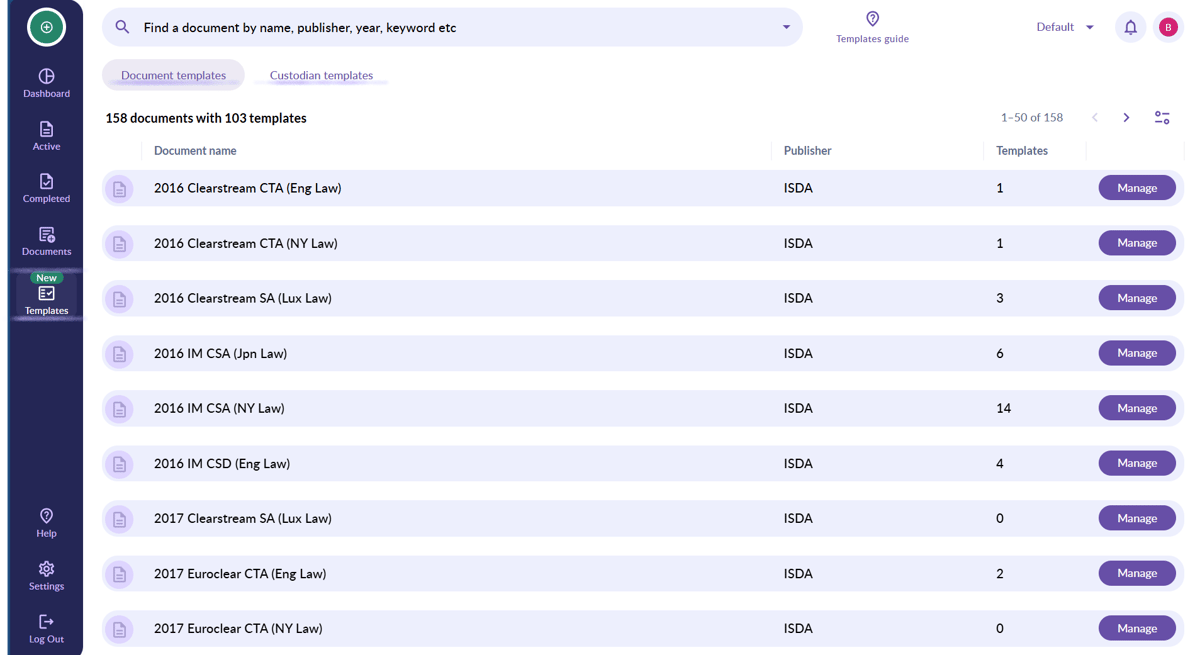
💡 Document and Custodian templates are housed under different tabs at the top of your page. Switch between them to access your relevant templates 💡
Managing your Templates
By selecting the Manage button that is in line with the document name, you're able to access all of your templates that are attached to a specific document.
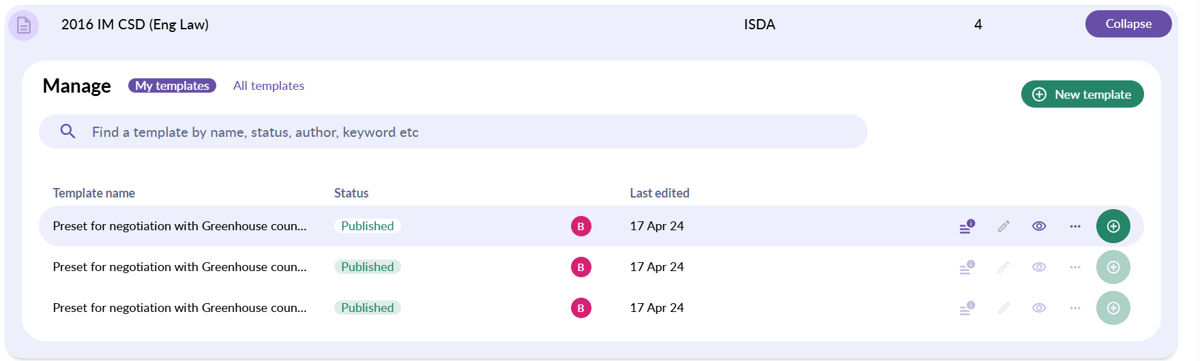
From here you're able to:
- Create new templates
- Edit existing templates that have yet to be published

- Publish templates

- Preview templates

- Update outdated templates

- Use your templates for new negotiations

- Using the More button, you're also able to Duplicate published templates so that you are able to modify them. From here, you can also Delete and Export templates.

💡Please note, if Template approvals are switched on for your account, your ability to publish templates will depend on your user permission level. Click here to see how permission levels affect your template access 💡