
There are two ways of signing a document: offline signing and e-signing. You will have selected the relevant option in an election during the negotiation process.
Offline Signing - The traditional way of signing
- Each party can download their signature page from the Execution page, ready to sign offline.
- Once each party has signed their signature page offline, this can be uploaded to CreateiQ. A notification will be received via email once your counterparty has completed this.
- The last counterparty to upload their signature page can then click Generate execution copy. This is confirming that you have signed offline and are ready to complete the negotiation.
💡 Are you negotiating a BNYM document? Check out this article here for specifics on the Generate execution copy button 💡
E-Signing - DocuSign has been added to CreateiQ!
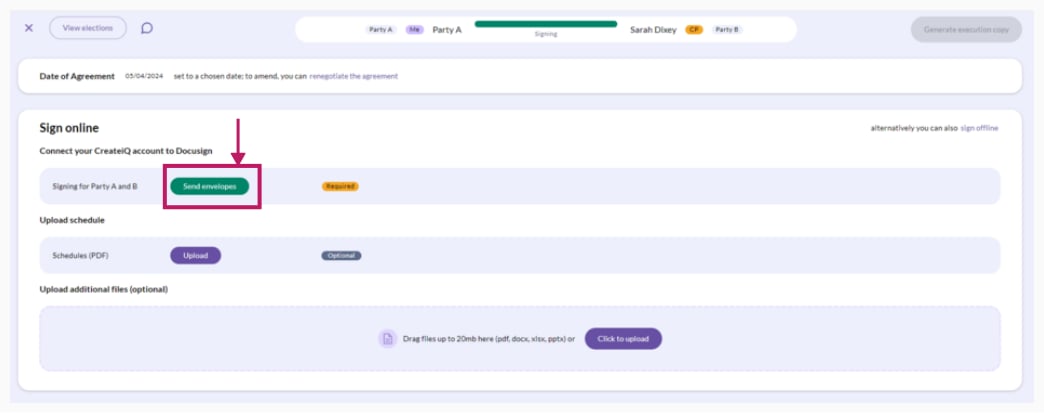
- If you are already connected to DocuSign, the Send envelopes button will appear on the execution page. Click on the button to start the e-signing process.
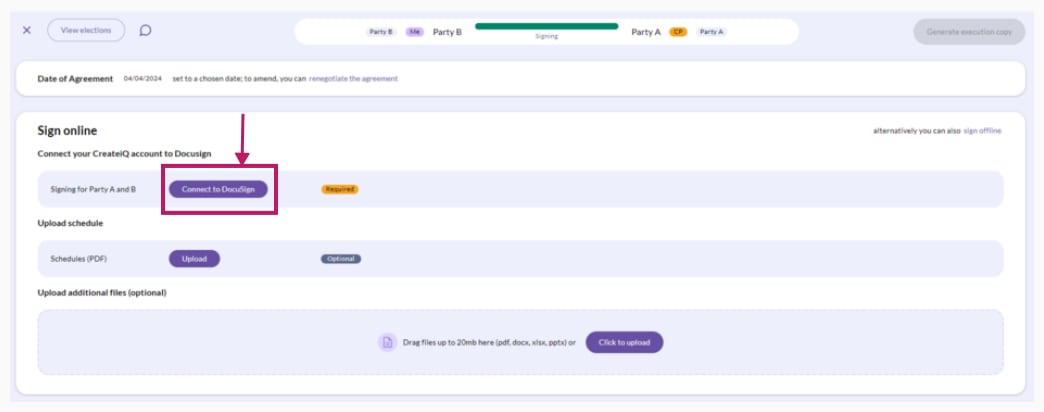
- Otherwise, each party can connect to their DocuSign account by clicking on Connect to DocuSign on the execution page. This will connect CreateiQ with DocuSign, ready for you to sign the document.
- An email from DocuSign will be sent to each signatory added to the document in the negotiation stage. If you wish to change the chosen signatory, you will need to Revert to negotiation.
- To sign the document click on Go to DocuSign, or click on the link in the email that has been sent to you. This will redirect you to DocuSign to log into your account. Please follow the steps in DocuSign to sign your document online (which are easy to follow and signposted!).
- When both parties' signatures are complete, return to the execution page and click on the Generate execution copy button to access the executed version of the document.
For a bilateral negotiation, once both parties have signed the document, the negotiation will automatically move to complete.
For further details on custodian negotiations, check out our articles here.
💡 You can still hand sign if you have chosen to e-sign during the negotiation. Simply follow the steps on the Execution page - the downloadable signature page will still be available. However, you can't switch from e-signing to offline signing. 💡